
AI Face Overlay Tool – Subtle, Realistic AI Effects

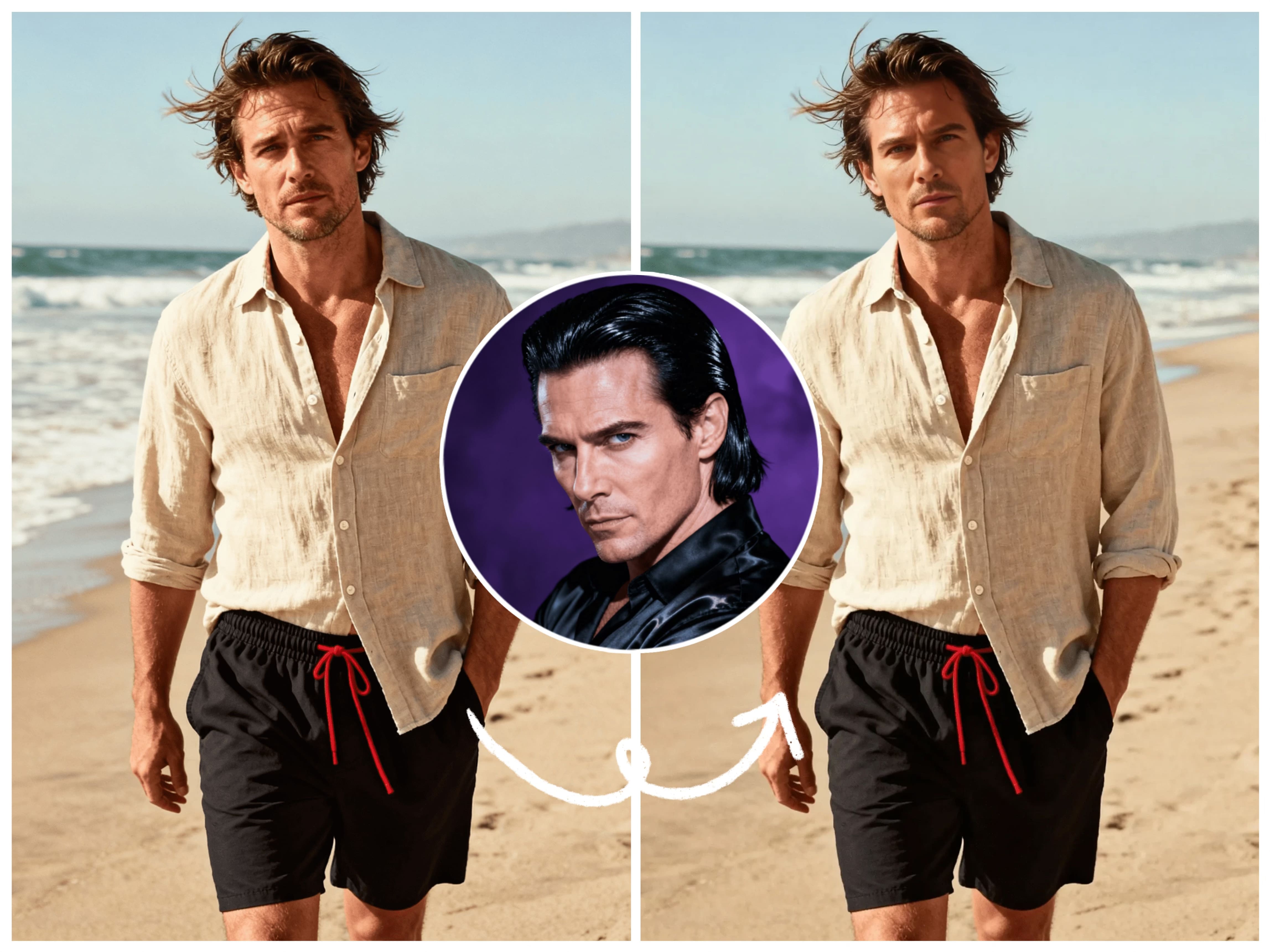
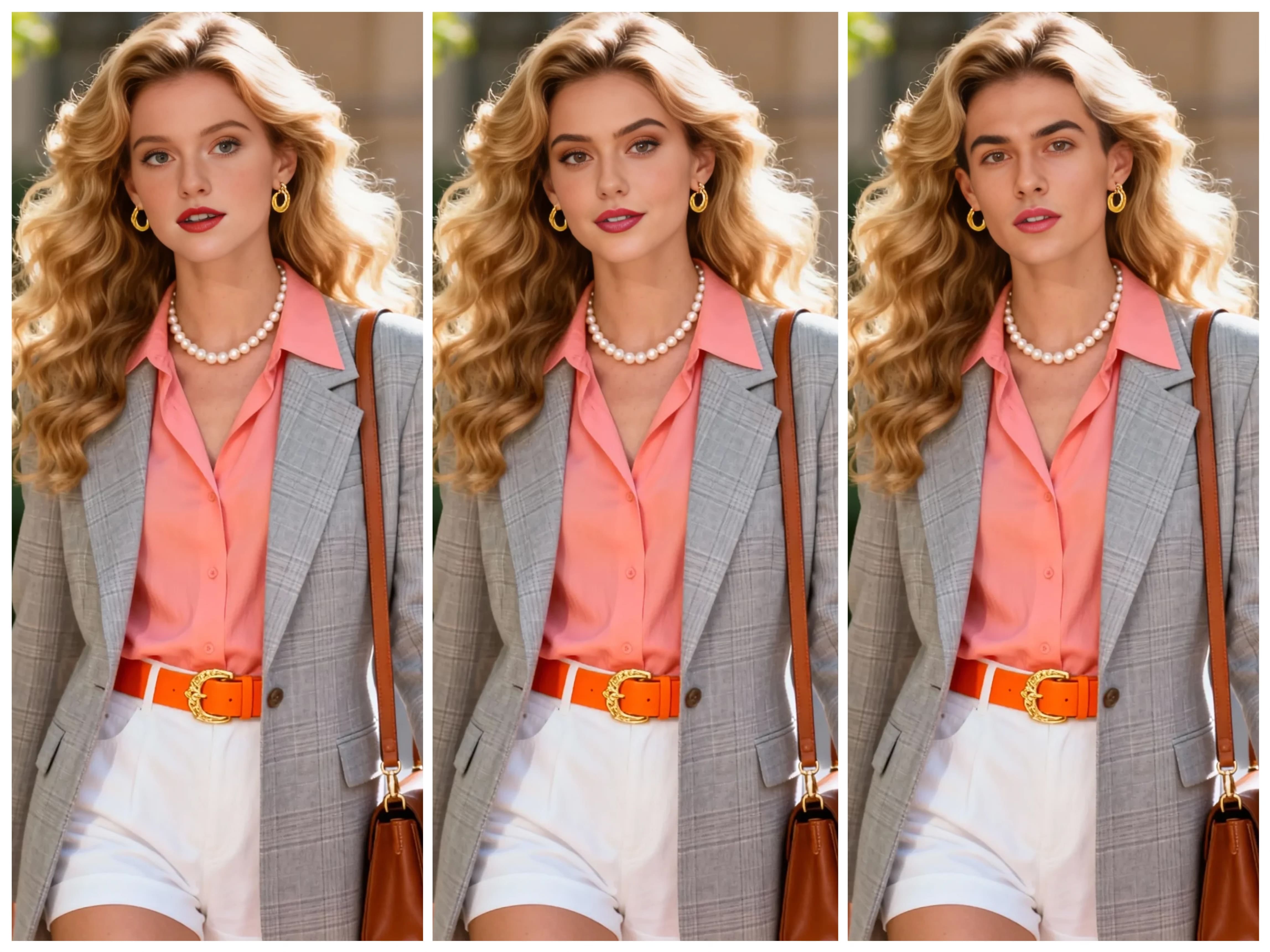
Kiira's AI face overlay tool delivers realistic, full face swap results. Create natural, photoreal AI face replacement online with layered blending, no pro editing skills required.

Start Face Overlay Now

Create Natural Face Swaps for Every Need

From social content to professional campaigns, our AI face overlay tool delivers photoreal results across all creative scenarios.

Content Creators

Swap faces for viral videos, TikTok trends, and engaging social media content with natural, believable results.

Designers & Marketers

Replace model faces in campaign shots, test different casting options, and create professional brand visuals fast.

Portrait Photography

Explore alternate personas, experiment with character variations, and build stunning portfolio pieces effortlessly.

Business Presentations

Drop client faces into pre-made scenes, create consistent persona images, and mock up pitch decks quickly.

Character Design

Blend your face with avatars, create custom characters, and visualize "what if" scenarios with realistic overlays.

Creative Experiments

Test new looks, swap identities playfully, and push creative boundaries while keeping results photoreal.

How to Use the AI Face Overlay Tool

Face swapping made simple. Just upload two photos and let our AI do the magic in 3 easy steps.

1

Upload Source Face Photo

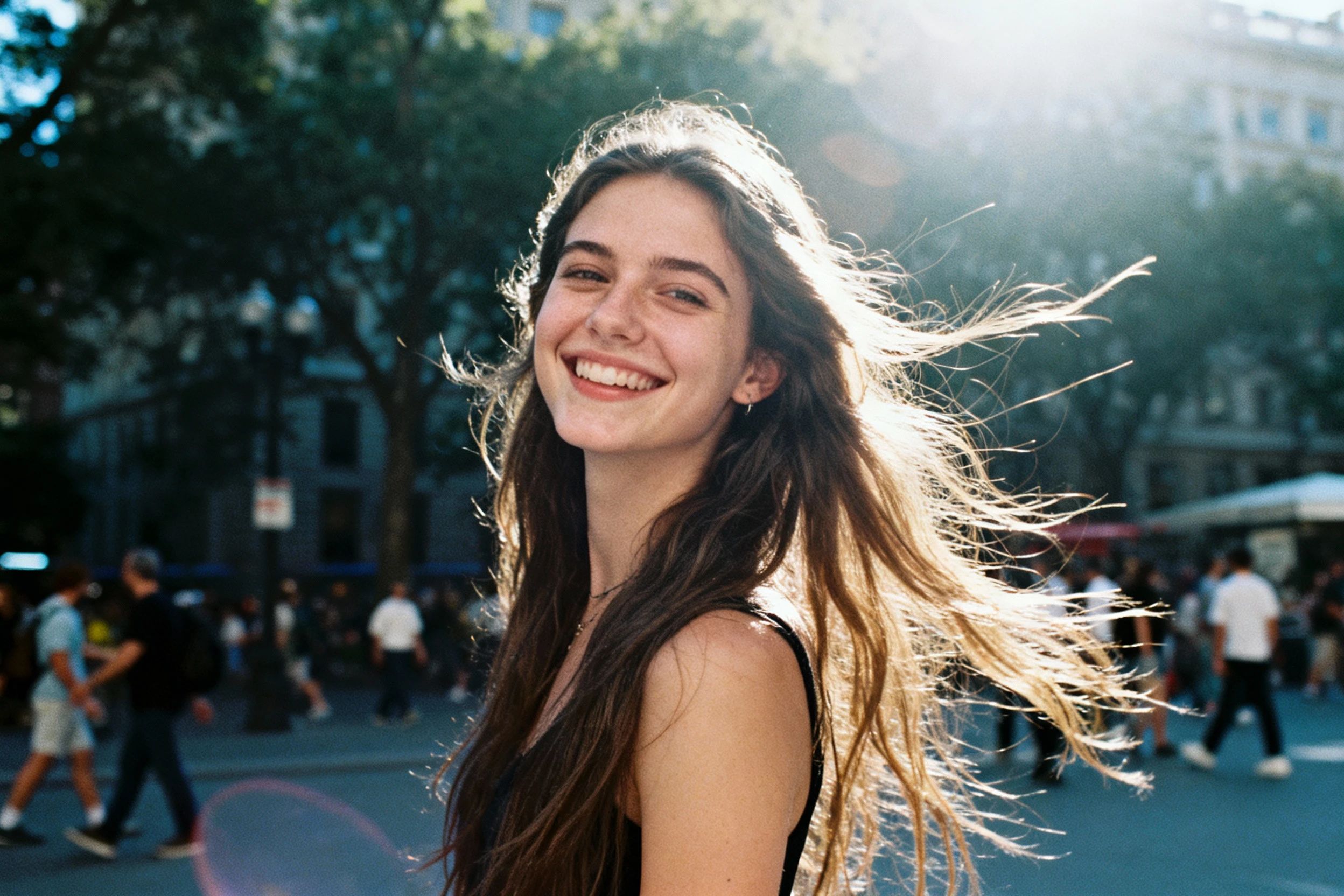
Upload the first photo containing the face you want to use. Our AI automatically detects and extracts the face from this image—no manual selection needed.

2

Upload Target Image

Upload the second photo where you want to place the face. This is the background scene or body where the face will be swapped onto. Choose any image you like.

3

AI Generates Face Swap

Click "Swap Face" and watch the magic happen. The AI automatically swaps the face from photo 1 onto photo 2 with realistic blending, natural lighting, and seamless integration. Download your result instantly.

Why Choose Kiira's AI Face Overlay Tool

Full Face Swap with Production-Ready Quality

Kiira uses edge‑aware blending and precise facial landmark tracking to keep skin tones, lighting, and depth consistent across the entire image. The result is a face swap that looks like it was captured in‑camera, not patched together after the fact.

This level of consistency makes the output safe to use in ads, thumbnails, hero images, and client work without extra cleanup passes or manual retouching.

Fast Generation, No Watermark, No Waiting

Kiira is tuned for speed so you can move from idea to finished asset in a single workflow. Render times are measured in seconds, which means you can iterate on concepts, test multiple looks, and respond to feedback without breaking your creative rhythm.

Every download is delivered without a watermark, so the files drop straight into your design tools, social schedulers, or ad platforms with no extra cleanup or cropping required.

Natural Results Without Pro Skills

The interface is built for non‑experts: upload two photos, click swap, and Kiira handles all the masking, color matching, and blending for you. There’s no need to learn complex layer workflows, plugins, or manual retouching techniques.

This lets marketers, founders, and creators ship visuals that look like they were finished by a post‑production team—even if they’re working alone on a laptop.

Try Face Overlay Now

Turn Any Photo into a Natural-Looking Face Swap

If you've ever tried a gimmicky face swap app, you know the usual problems: warped features, broken lighting, and an obvious "fake" look. Kiira's AI face overlay tool is built to do the opposite. It performs a full AI face swap, but with careful blending so the result looks like it was shot that way from the start.

Instead of crude cut-and-paste, the engine uses AI face overlay mapping to detect skin tone, light direction, and facial structure. The new face is then merged as a realistic face overlay, preserving the original photo's depth and atmosphere while completely changing the identity.

Full Face Swap, Soft Edges

This isn't about tiny expression tweaks. It's a complete replacement—yet the transition is smooth enough to pass as a real photograph. By combining AI face swap overlay with layered blending, you get subtle AI face overlay and face swap effects that are believable up close, not just from a distance.

How It Works Behind the Scenes

While the interface looks simple, the online AI face overlay and face swap editor runs several advanced steps in the background every time you click swap:

  • Face detection & extraction: Kiira pinpoints the key landmarks of the source face, then cleanly isolates it from the background without manual masking.
  • Lighting & geometry analysis: The target image is scanned for angle, light direction, and overall color tone so the new face fits the scene instead of floating on top of it.
  • Edge-aware blending: The system warps and blends the face into the target frame, smoothing edges, matching skin texture, and preserving fine details like hairlines and shadows.

This pipeline lets you swap your face onto a different body or scene, replace a model's face in a campaign shot, or put a client or character into any existing layout. Because the blending is tuned for realistic AI face overlay and soft face swap, you keep natural skin texture and lighting instead of plastic, over-filtered results.

Fast Generation, No Watermark, No Waiting

Time matters when you're creating content. Kiira's AI face overlay tool delivers instant results with zero watermarks on your downloads. No waiting in queues, no processing delays—just fast, clean, professional outputs ready to use immediately. Download your face overlay images without any branding, perfect for brands, social channels, clients, and personal projects alike.

A Smarter Way to Do Face Swaps

Most face swap tools chase quick laughs. Kiira focuses on believable, photoreal transformation. By combining full replacement with controlled blending, the AI face overlay tool lets you move between playful experiments and serious creative work without changing platforms.

For anyone who needs fast, convincing identity changes—marketers, designers, content creators, or just curious explorers—Kiira offers a clean, modern way to reimagine faces while keeping every image looking like it belongs in the real world.

Frequently Asked Questions

An AI face overlay tool uses artificial intelligence to perform realistic face replacement by mapping facial landmarks and blending new faces as transparent layers. Unlike basic face swap apps, it preserves lighting, skin tone, and perspective for natural, photoreal results.

Simply sign up for Kiira to start using the AI face overlay tool. We offer flexible plans to suit your needs, from basic access to unlimited usage with advanced features.

Absolutely. The AI face overlay tool is designed for creators and designers who need production-ready visuals. It's ideal for marketing campaigns, branding materials, social content, and client presentations with photoreal face replacement results.

Face overlay uses layered blending technology for subtle, natural face replacement, while traditional face swap often creates obvious, distorted results. Our AI face overlay tool performs full face replacement but maintains realistic lighting and texture for believable outcomes.

No professional skills required. The AI face overlay tool automates all the complex technical work. Just upload two photos, adjust the intensity slider, and export your result. The interface is designed for creators of all skill levels.

Start Using AI Face Overlay Tool Today

Create photoreal face swaps in seconds with Kiira's advanced AI technology.

Get Started Now